New · Version 1.1 for iPhone and iPad

Guardia Planner

On-call shifts & pay tracker

Track your on-call shifts, overtime and pay in one place. Use it on iPhone and iPad, sync with iCloud and Apple Calendar, and export to PDF or Excel.

  • For doctors, nurses and residents
  • iPhone and iPad · Mac coming soon
  • No accounts
  • iOS 26 · iPadOS 26
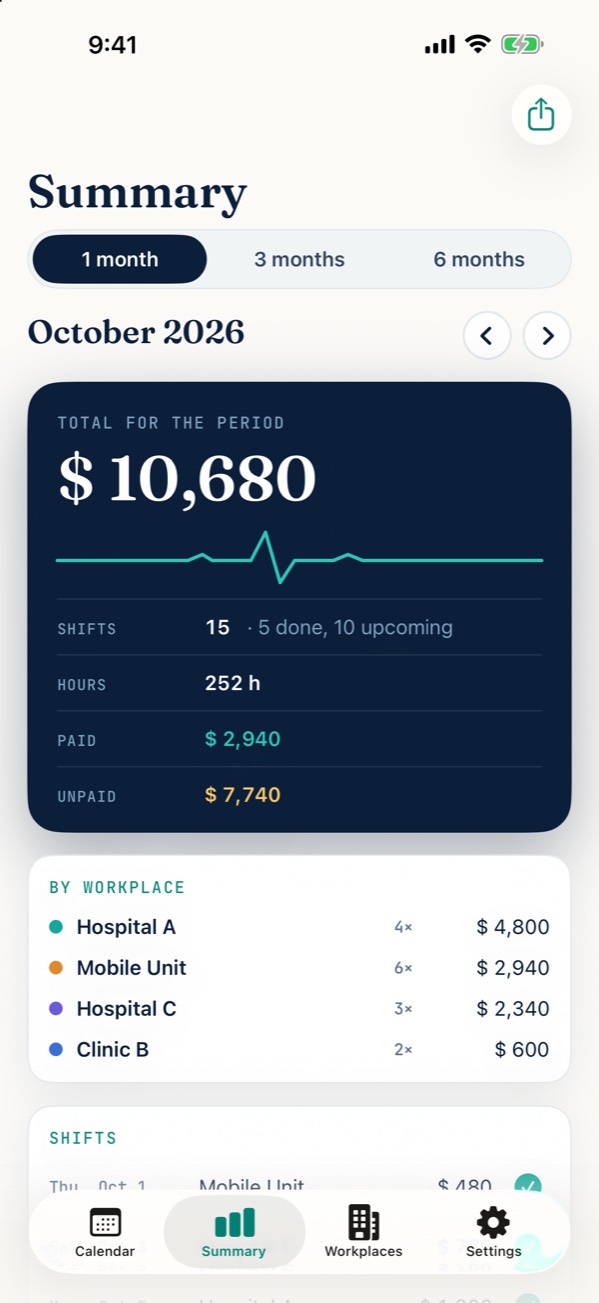
Summary screen: period total, hours, overtime, paid and unpaid
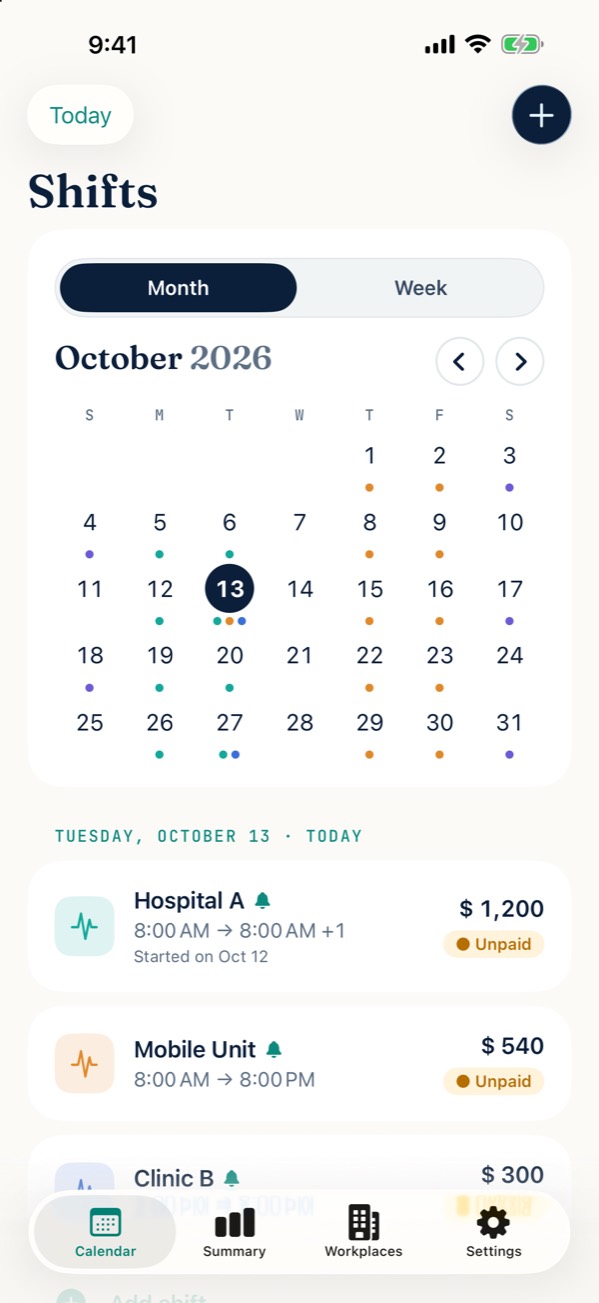
Shifts screen: month calendar with a colored dot for each shift

What’s new in 1.1

Bigger and better connected

  • OvertimeIn half-hour steps, with a suggested hourly rate you can change.
  • Settings tabEverything about the app, in one place.
  • iPadA native iPad app. The Mac app is coming soon.
  • Guardia Planner ProiCloud, Apple Calendar and export to PDF and Excel. Try it free for 2 weeks.
  • Español · PortuguêsNow in English and Portuguese, too.

Take a look

Designed to be used with one hand

Month calendar with colored dots by workplace and today’s shifts
Your month at a glance
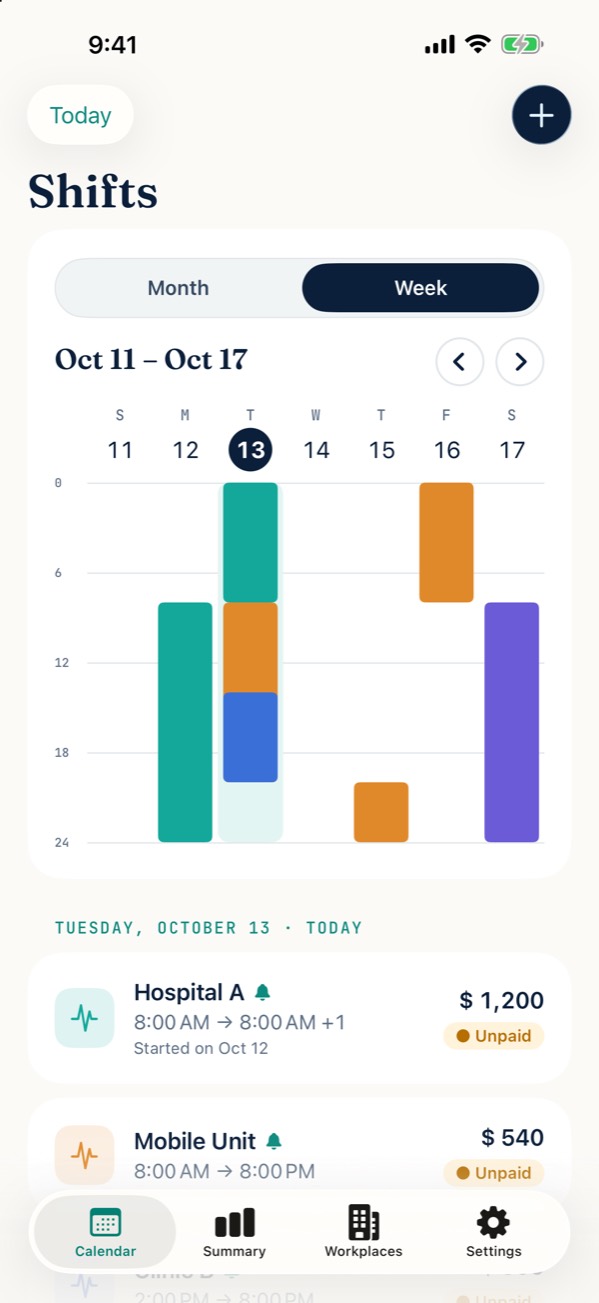
24-hour week view with each shift as a colored block
Your week, hour by hour
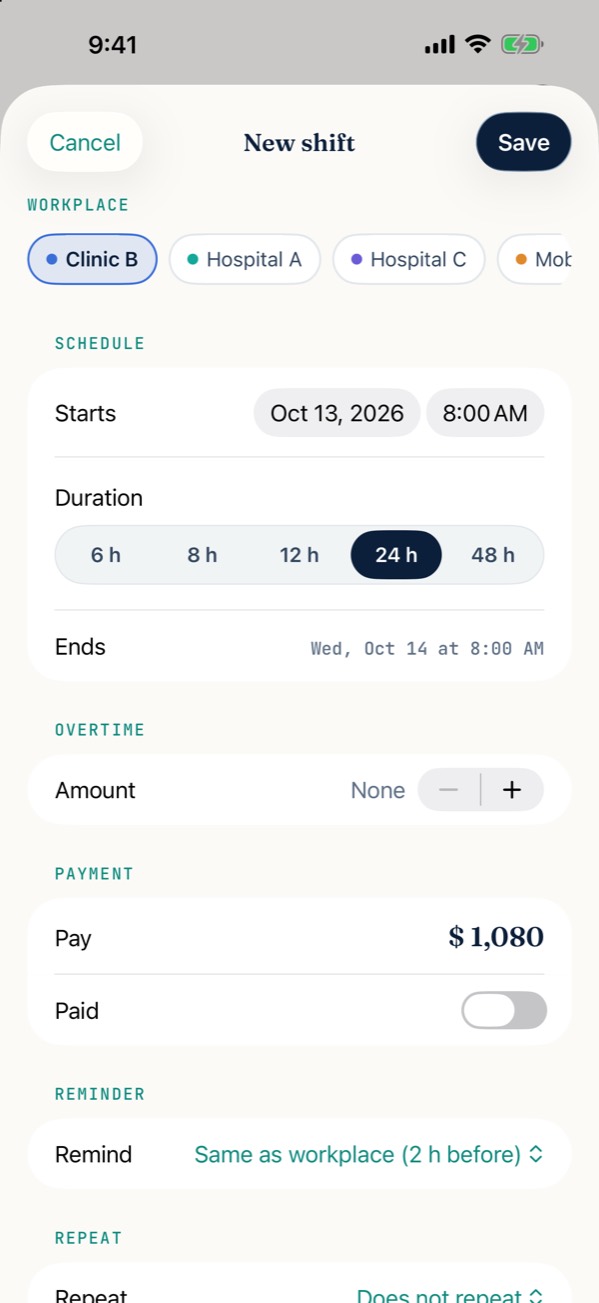
New shift form with workplace, length, overtime, pay, reminder and repeat
Add a shift in seconds
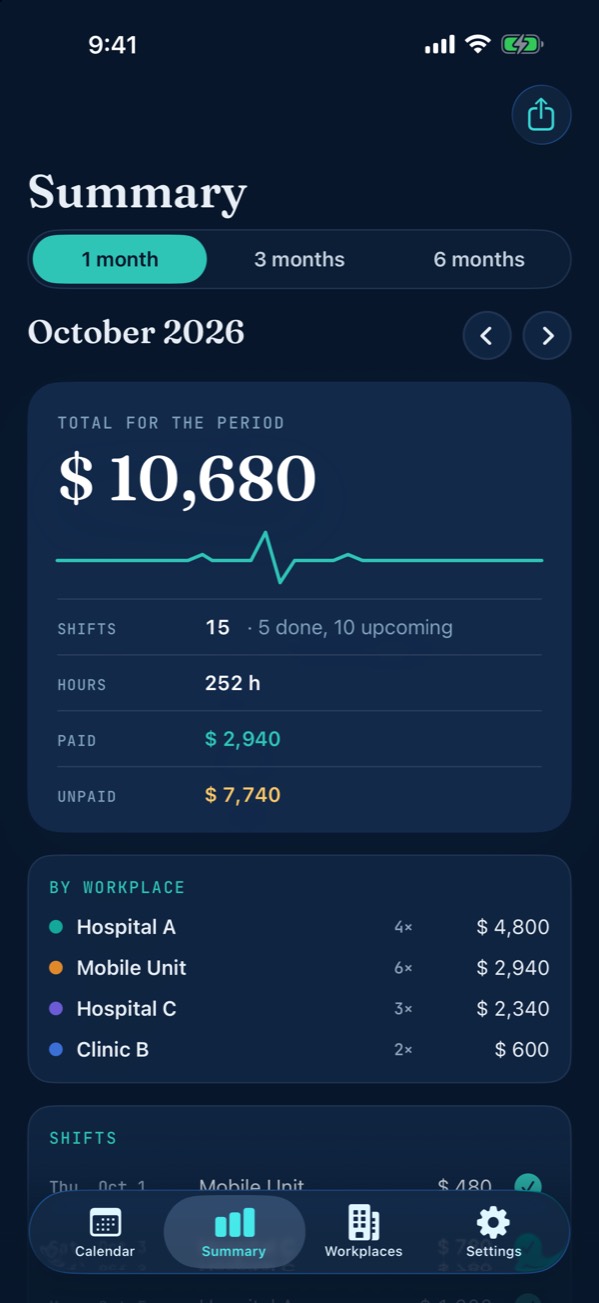
Monthly summary: total, hours, overtime, paid, unpaid and breakdown by workplace
Know what you’ll earn
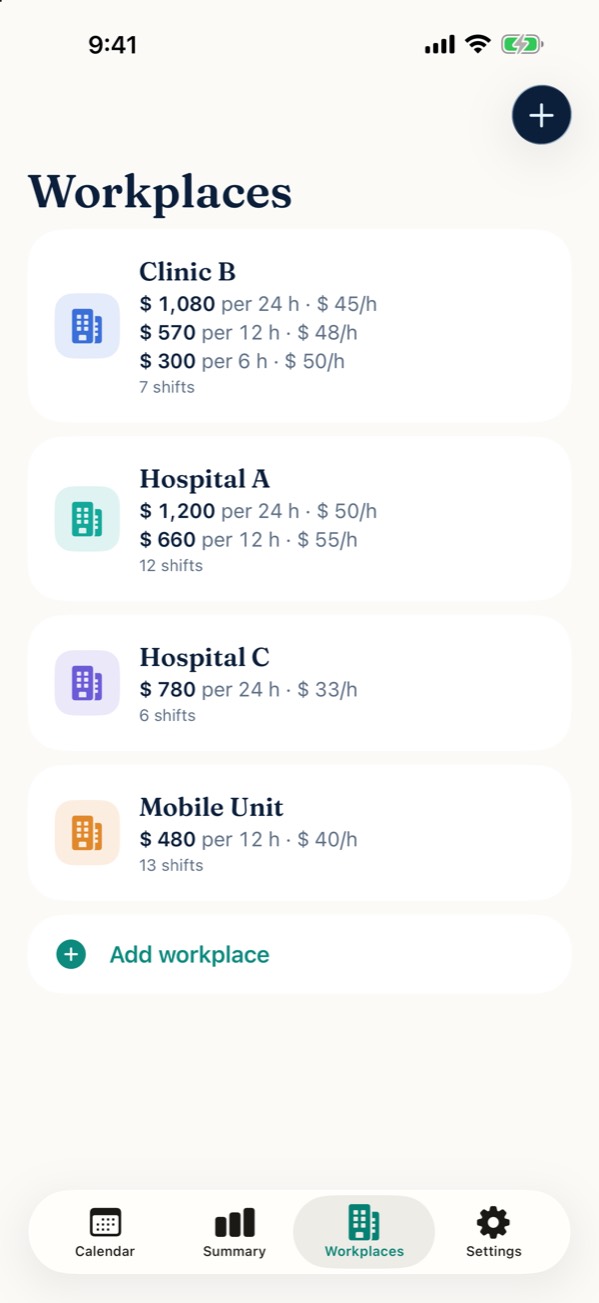
List of workplaces with their pay per shift and hourly rate
Each workplace, with its pay
Guardia Planner in dark mode
Dark mode, too
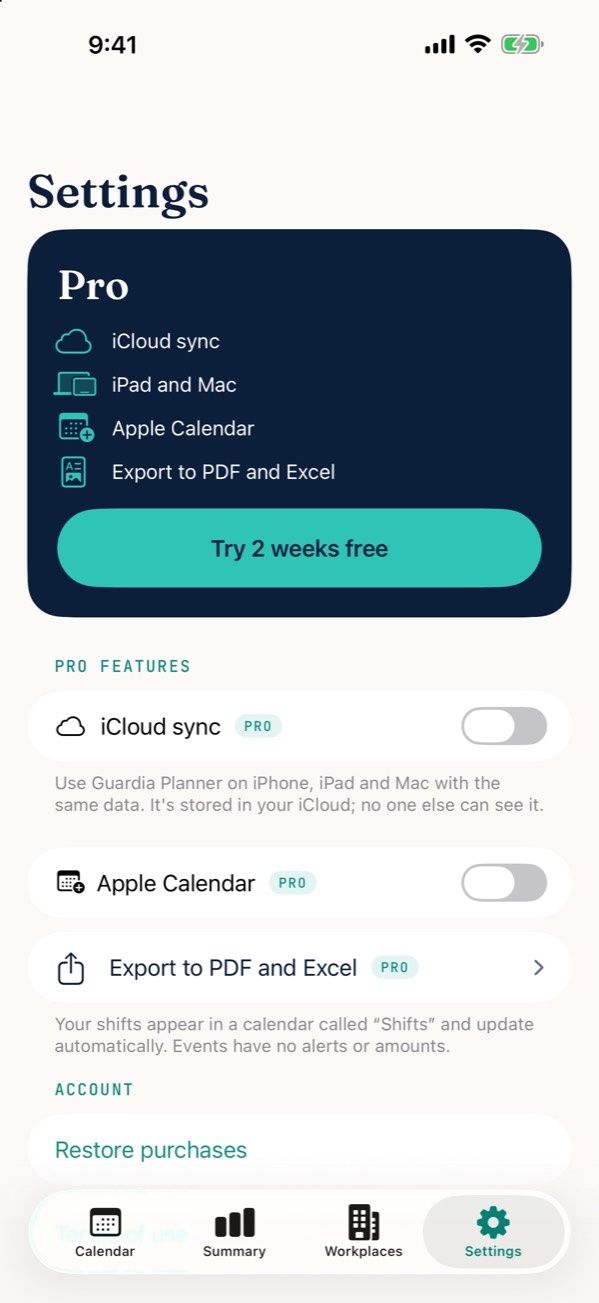
Settings tab with the Guardia Planner Pro card and its features
Settings and Pro

Features

Everything about your shifts, in one place

Add each workplace once, and from then on adding a shift takes seconds. All of this is free, with no limits.

Calendar

  • Month view, with a colored dot for each shift.
  • 24-hour week view: each shift is a block in its workplace’s color, even the ones that cross midnight.
  • 6, 8, 12, 24 or 48-hour shifts, with a start time.
  • A warning when two shifts overlap — and if you still want to save it (say, after swapping a shift), you can.
Repeating shifts

  • Every week, every 2 weeks or every month, until the date you choose.
  • Delete just one shift in the series, or that one and all the following ones.

Pay

  • Each workplace has its shift types with their pay (for example 24 h → $13,000, 12 h → $7,000), and the app works out the hourly rate.
  • If a shift length has no type of its own, it’s calculated with the hourly rate of the closest type.
  • Set a custom amount for a one-off shift.
  • Mark each shift as paid or unpaid.

Overtime New

  • Add overtime to a shift in half-hour steps.
  • The hourly rate is suggested for you (the shift’s pay divided by its hours), and you can change it.
  • The shift gets longer in the calendar and the summary shows overtime separately.

Summary

  • 1, 3 or 6-month periods.
  • Total, hours and overtime hours, overtime pay, paid and unpaid.
  • Breakdown by workplace and the list of shifts in the period.

Reminders

  • A notification before each shift: 30 min, 1 h, 2 h, 12 h or 1 day before.
  • Set it per workplace, and change it for any shift.

Guardia Planner Pro

Your shifts on all your devices

An optional subscription that adds sync, calendar and export. Try it free for 2 weeks.

Guardia Planner

Pro

  • iCloud sync

    Your shifts on all your devices, with your Apple Account.

  • iPad

    The full app on your iPad, with the same data as your iPhone. Mac coming soon.

  • Apple Calendar

    Your shifts show up in their own calendar, called “Shifts”, and update automatically. No alarms, no amounts.

  • Export to PDF and Excel

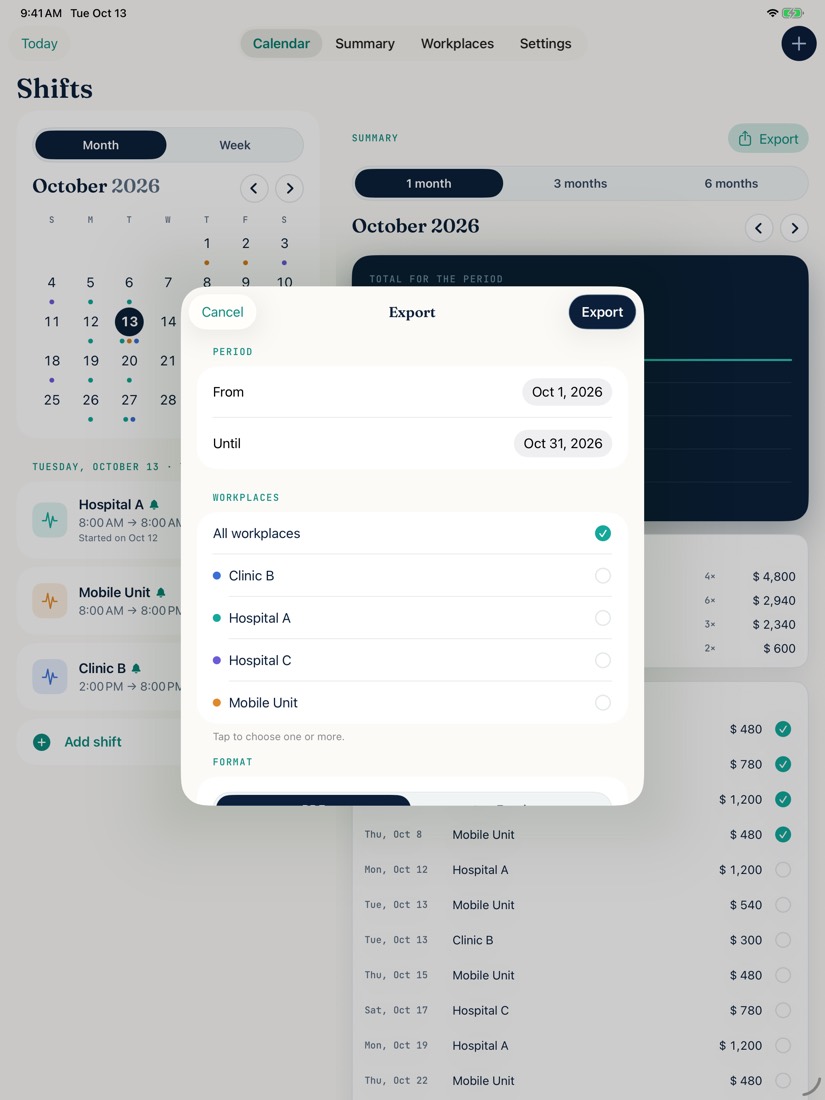
    Choose the period, the workplaces and the format. The Excel file is a real .xlsx with calculated totals: print it, send it by email or WhatsApp, or open it in Excel, Numbers or Google Sheets.

Try it free for 2 weeks

Monthly

From US$2.99 per month.

Annual Save 30%

From US$24.99 per year.

Both plans unlock the same features. The final price depends on your country and is set by the App Store. The subscription renews automatically and can be cancelled from your App Store account. If you cancel during the trial, you won’t be charged.

No one-time purchases, no ads and no accounts. Everything else is free, with no limits.

iPad · Mac coming soon

On the big screen, too

One App Store download works on iPhone and iPad. The iPad app is free to use; to have the same data on both, turn on Pro. The Mac app is on its way.

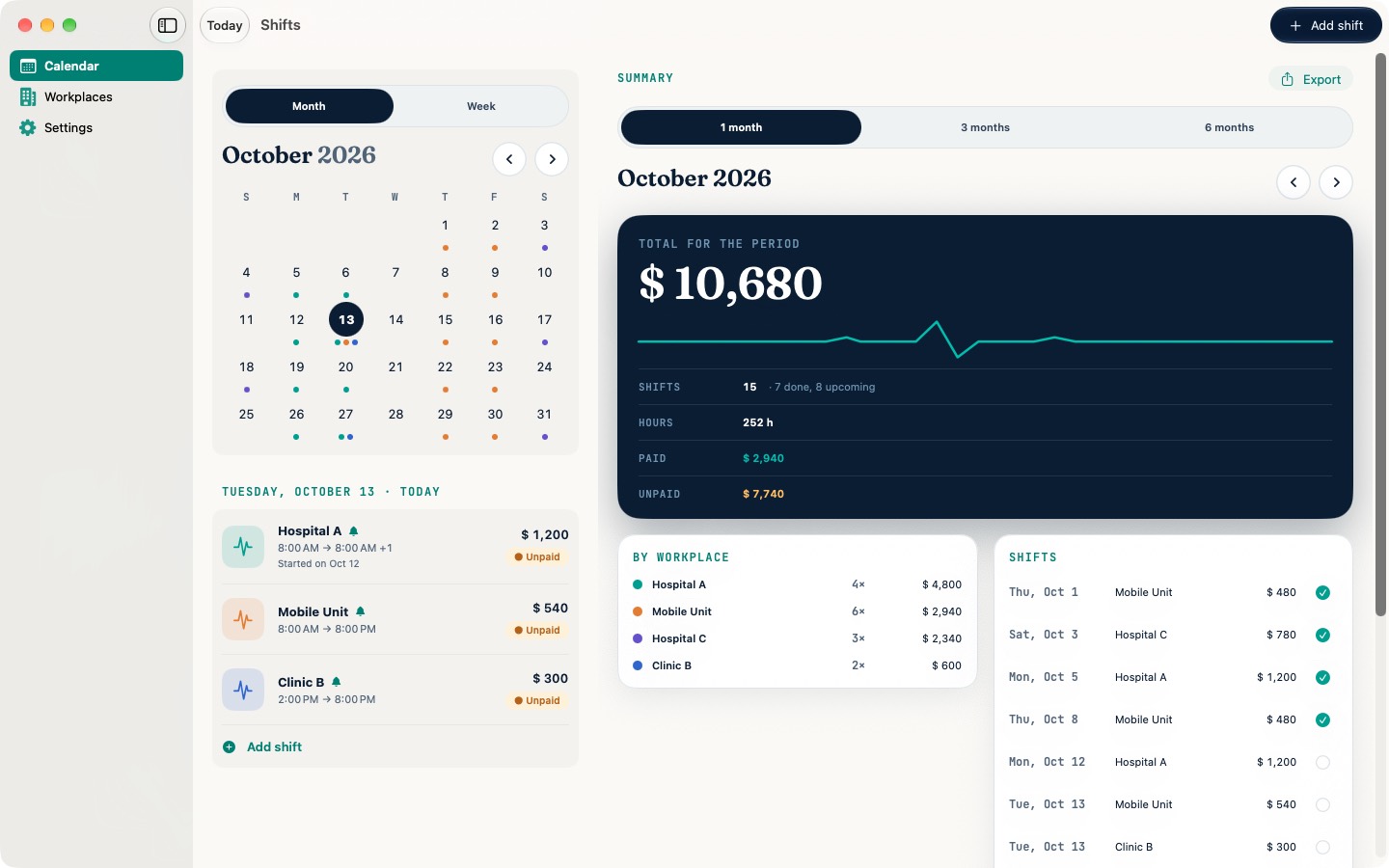
Guardia Planner on Mac: sidebar, month calendar and period summary
Mac · coming soon
Guardia Planner on iPad: exporting shifts by period and workplace
iPad

Calendar and summary togetherOn iPad you see the month and the period summary side by side.

Coming soon to MacWith a sidebar and keyboard shortcuts: ⌘ N for a new shift and ⌘ , for Settings.

The same dataWith Pro and iCloud sync turned on, what you add on one device shows up on the others.

Privacy

Your data is yours

Your schedule and your pay are your business. Guardia Planner has no server: your data stays on your device or in your own iCloud.

01

No accounts

No sign-up, no login. Open the app and start adding shifts.

02

Your device or your iCloud

If you turn on sync, your data goes to your private iCloud. Nobody else can see it — not even the developer.

03

No analytics

No tracking and no usage metrics. On the App Store it’s listed as “Data Not Collected”.

04

Local reminders

Notifications are created on your own device.

Guardia Planner organizes schedules and pay. It is not a medical device and does not process clinical or patient information. Read the privacy policy.

Photo of Santiago Saralegui
“Designed by an emergency physician, to be used quickly and with one hand, between patients.” Dr. Santiago Saralegui · See my other apps